Murmur
A local-first meeting recorder for macOS. It transcribes calls on-device with Whisper, recognizes speakers by voice, and writes notes, decisions and action items as Markdown, using a local LLM or your own API key.
Overview
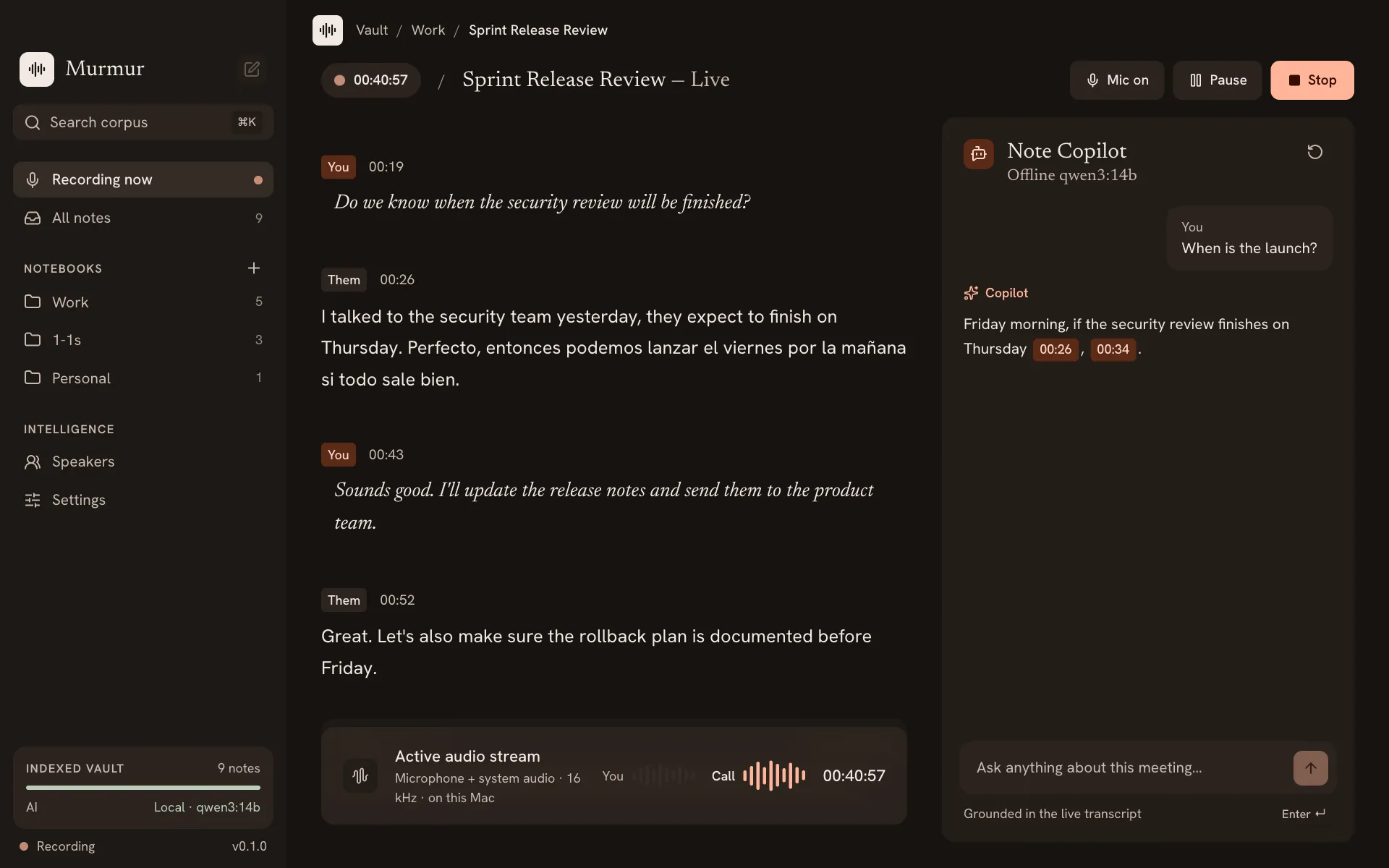
Murmur records and transcribes meetings on Teams, Google Meet, Slack and Zoom, entirely on your Mac. Transcription runs on-device with Whisper. Summaries and live questions use a local Qwen model through Ollama by default, or your own Claude or Gemini key if you choose that for a session. Audio never leaves the machine.
The point is to get meeting notes without uploading calls to anyone’s server. It’s a released app that updates itself.
- Releases
- 4
- Oct 28 to Nov 2, 2026
- Merged pull requests
- 38
- Speech models
- ~770 MB
- Downloaded once, run locally
- Audio uploaded
- 0 bytes
- Cloud LLMs only see text, and only if you opt in
What it does
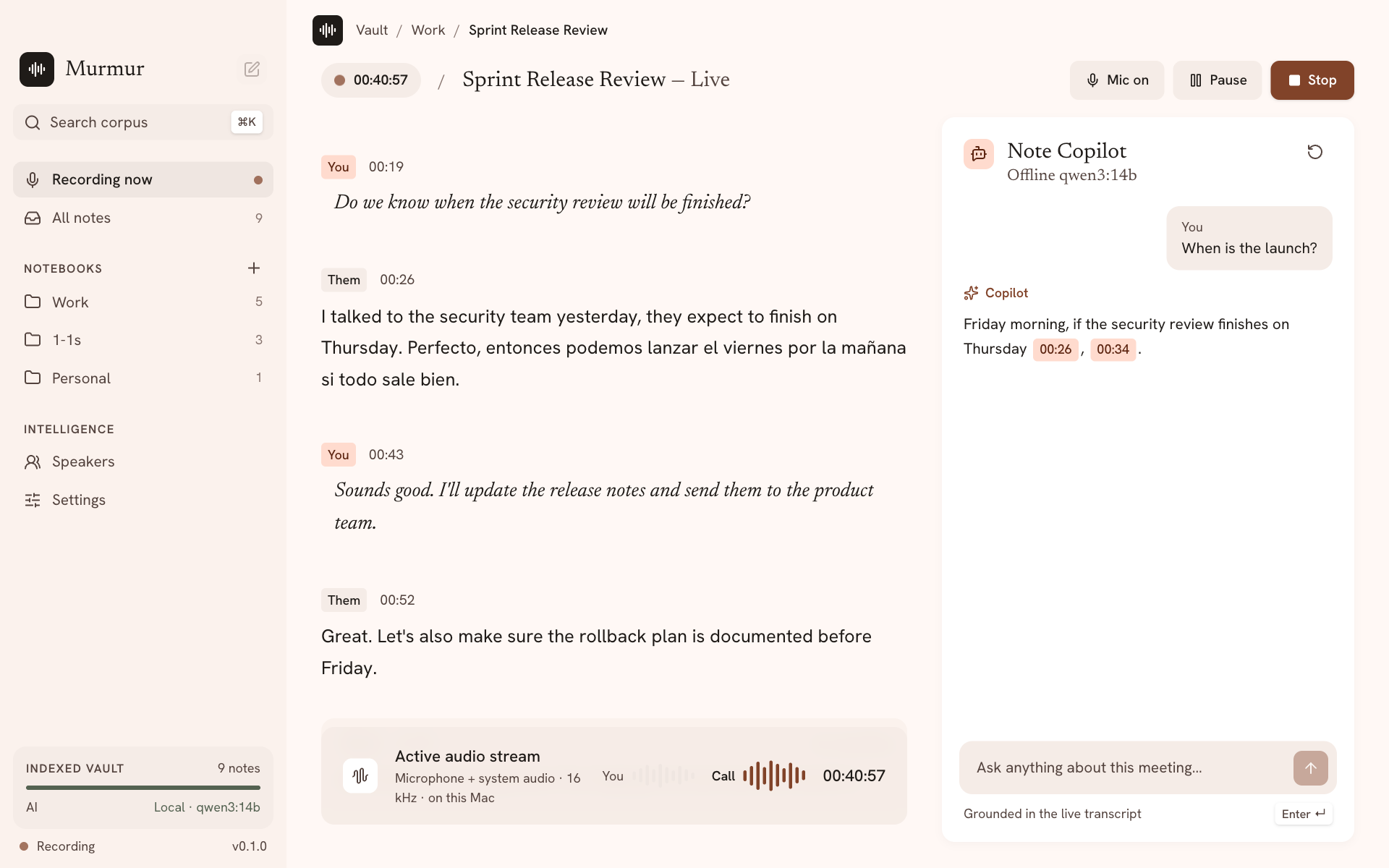
- Shows a live transcript of your microphone and the call, including meetings that switch languages, and answers questions about the meeting while it’s happening.
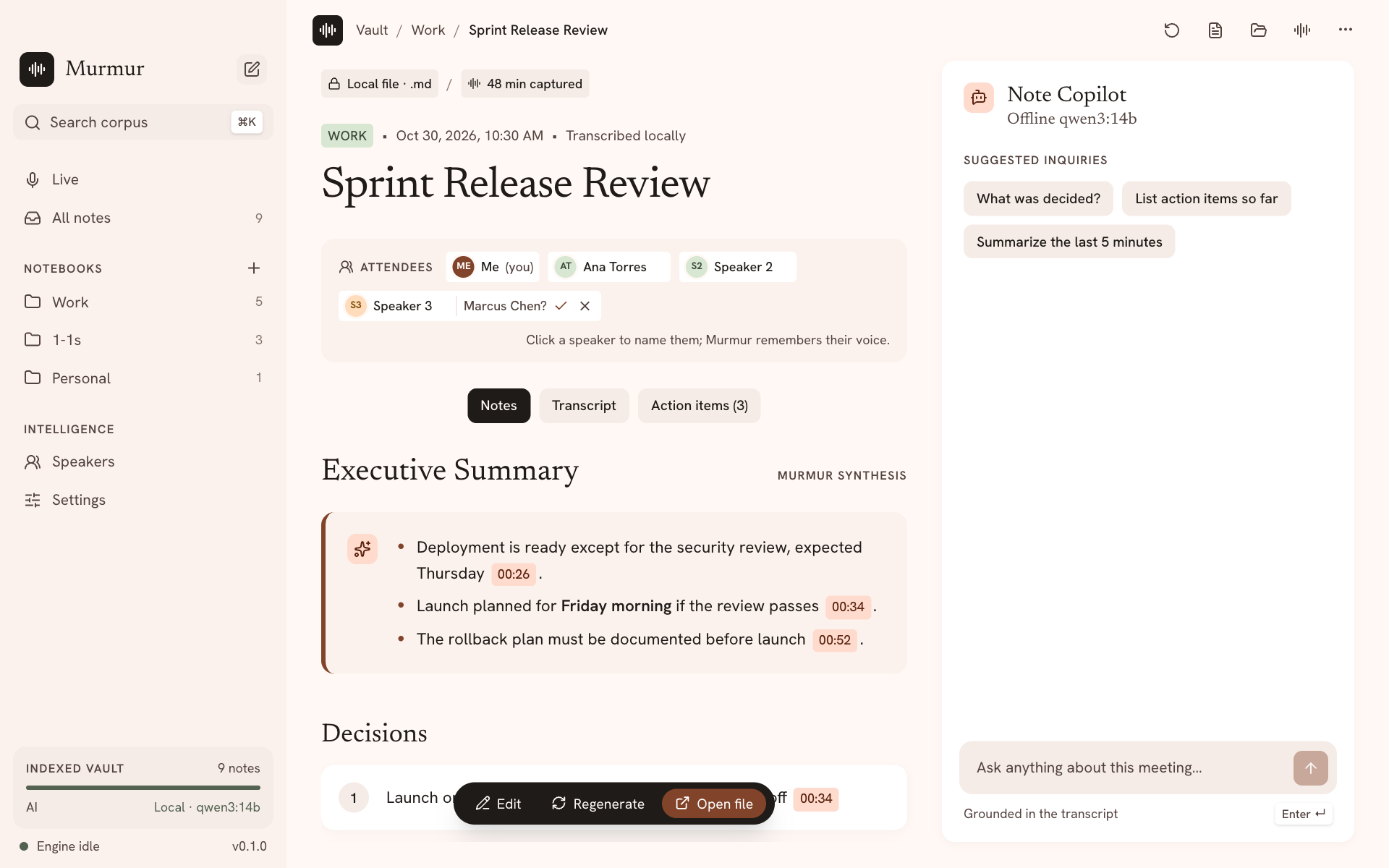
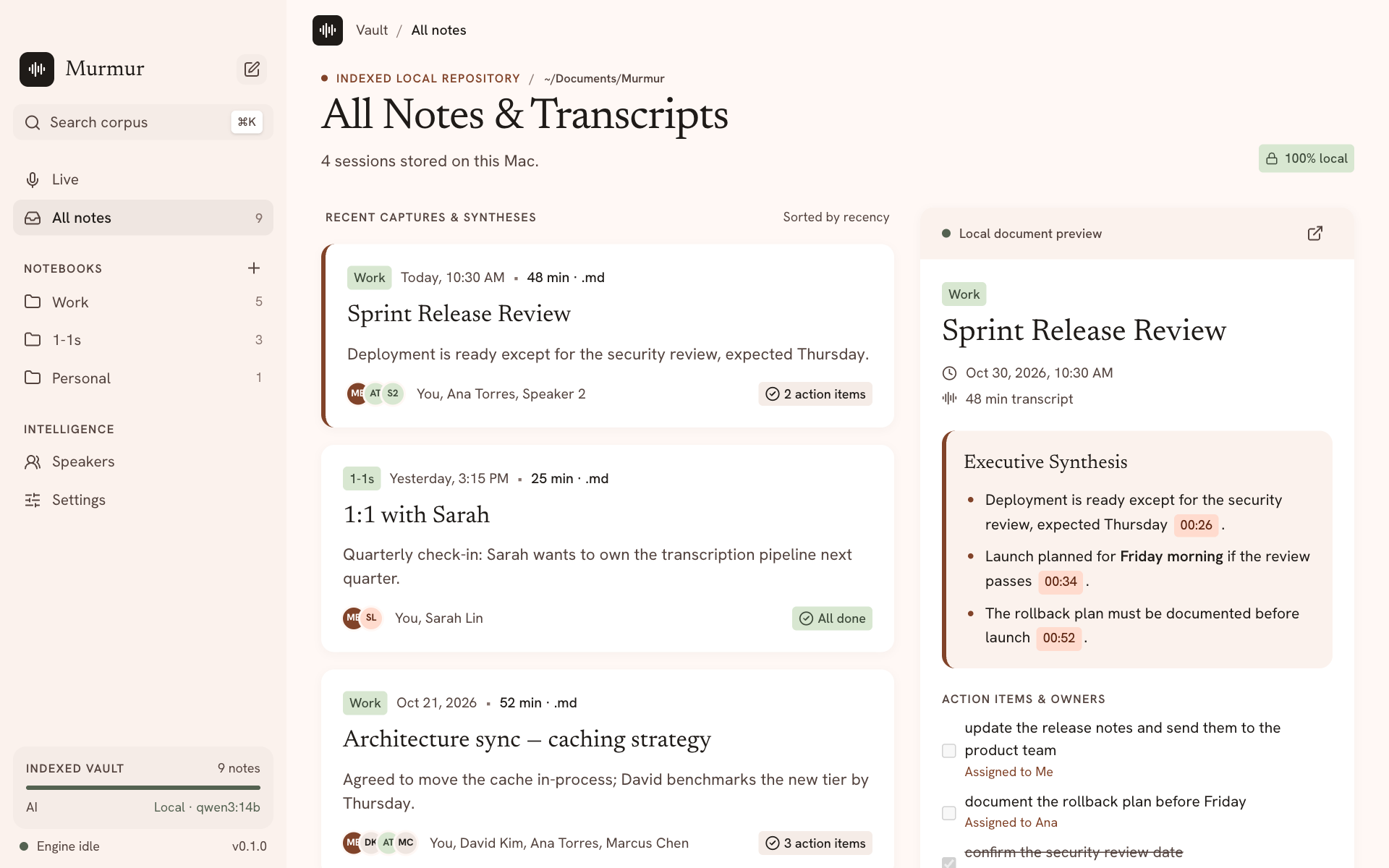
- Writes notes when the meeting ends: a summary, decisions, action items and open questions, each linked to the moment it was said, plus the recording so you can replay any moment. Every session is a Markdown file in a folder you choose, ready for Obsidian or any editor.
- Shows a small card and a notification when someone mentions your name or asks you something. ⌃⌥M marks a moment and ⌃⌥N adds a quick note without leaving the call.
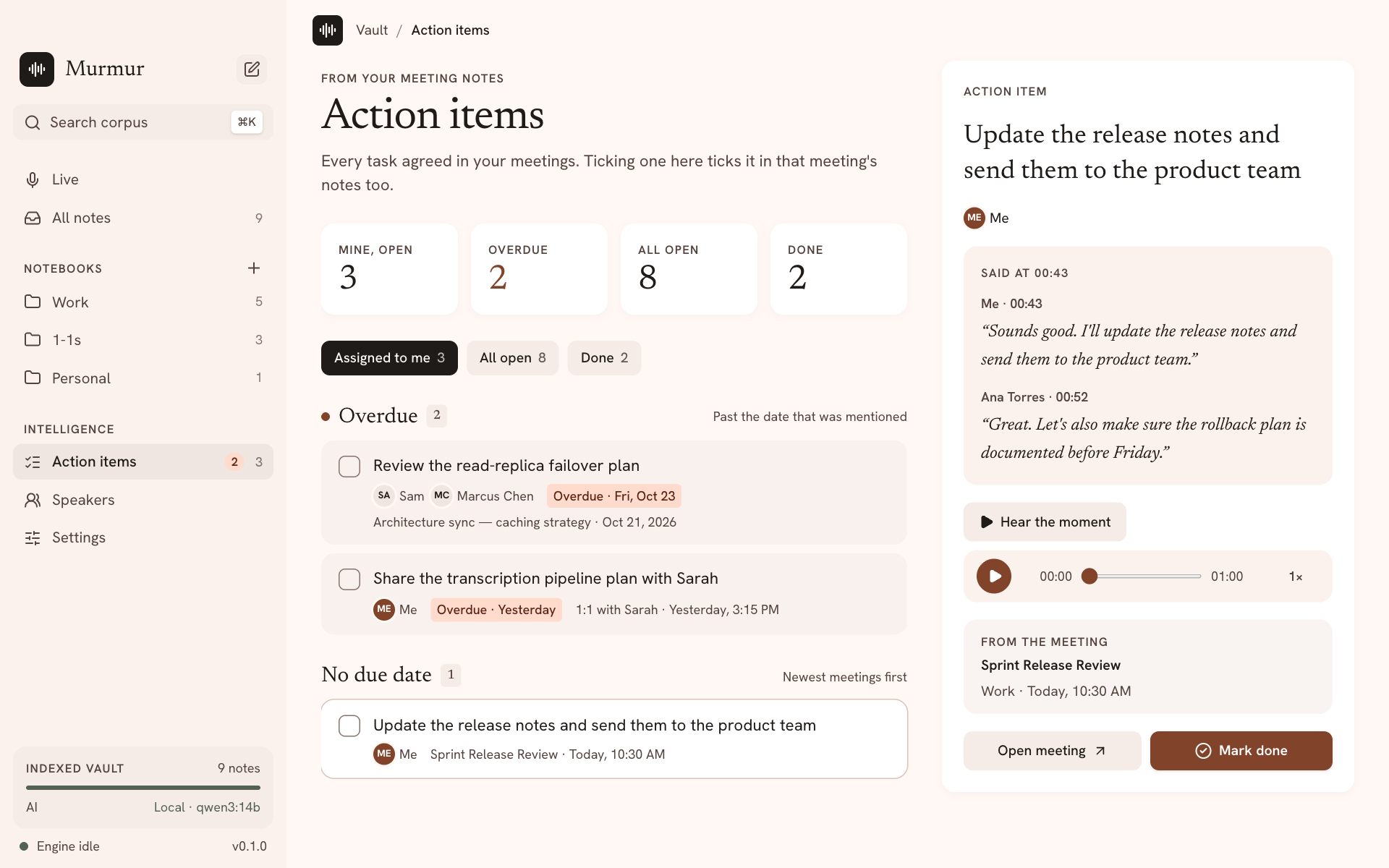
- Collects action items from every meeting in one list, with yours first and overdue ones flagged. Ticking one off also ticks it in that meeting’s notes.
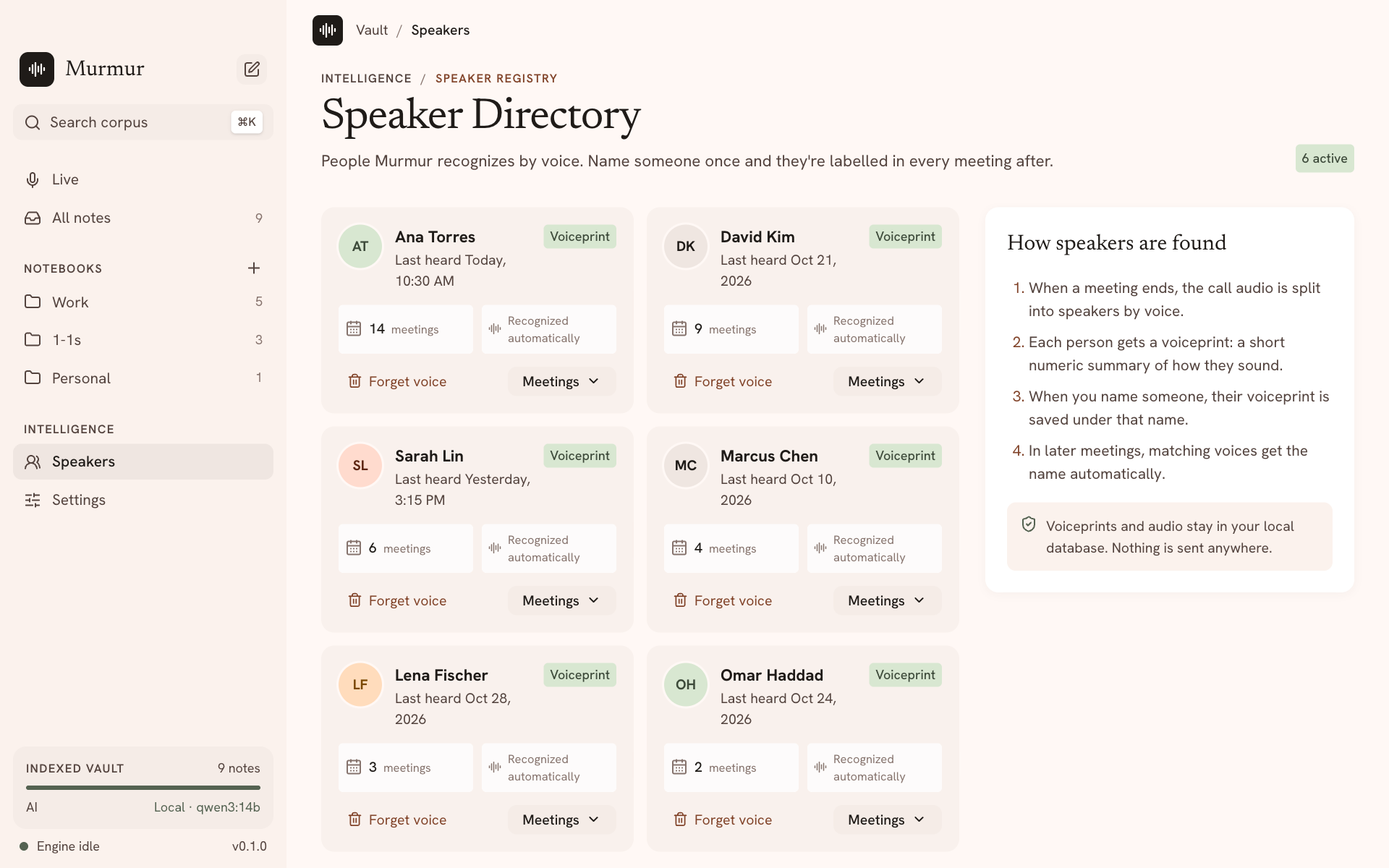
- Recognizes speakers by voice. Name someone once and Murmur suggests their name in later meetings, and it flags names that don’t match a voice.
- Notices when Teams, Slack, Zoom or a browser call starts using the microphone and offers to record. Nothing is recorded until you say so.
- Searches across every meeting, organized into notebooks.
How it works
- 01CaptureA Swift helper records the microphone and, through a Core Audio process tap, the call. Each channel arrives as 16 kHz mono audio.
- 02Detect speechearshot, a pure-Rust voice detector, cuts the audio into chunks after 600 ms of silence, 15 s at most.
- 03Transcribewhisper.cpp runs large-v3-turbo on the GPU through Metal, on a worker thread.
- 04Live sessionA tokio actor appends each line to the transcript in memory and SQLite, and streams it to the interface.
- 05Split speakersWhen you stop, sherpa-onnx separates the other side of the call into individual voices.
- 06Write notesThe LLM writes the summary, decisions and action items, saved as Markdown in your folder.
Speaker identity works in two layers. During the call, the channel decides it: your microphone is “Me” and system audio is “Them”. After the call, speaker embeddings split “Them” into individual voices that you can name, and Murmur remembers each voice for later meetings.
| Concern | Choice |
|---|---|
| App shell | Tauri 2 |
| Interface | React 19, TypeScript, Vite, Tailwind CSS v4, TanStack Query, Zustand |
| Audio capture | Swift helper with AVAudioEngine and Core Audio process taps (macOS 14.4+) |
| Voice detection | earshot, in pure Rust |
| Transcription | whisper-rs (whisper.cpp on Metal), large-v3-turbo |
| Speaker detection | sherpa-onnx with pyannote segmentation and NeMo TitaNet embeddings |
| LLMs | Ollama, Anthropic and Gemini, streamed over SSE with reqwest |
| Storage | Markdown files plus a SQLite index with full-text search (FTS5) |
| Secrets | macOS Keychain; API keys never reach the webview |
- Rust54.6%
- TypeScript41.5%
- Swift2.9%
- CSS0.5%
- Shell0.4%
Source: GitHub language statistics for DanielPenalozaB/murmur, November 2, 2026
View the data
| Language | Share |
|---|---|
| Rust | 54.6% |
| TypeScript | 41.5% |
| Swift | 2.9% |
| CSS | 0.5% |
| Shell | 0.4% |
Problems I had to solve
Too many speakers, or not?
An early 21-minute meeting came out with more than 49 speakers, which looked like the diarization was splitting people apart. Before tuning anything, I checked recent meetings against their real headcounts. Current diarization actually finds fewer speakers than there are attendees:
- Standup 119
- Standup 215
- Standup 316
View the data
| Meeting | Speakers found | Attendees |
|---|---|---|
| Standup 1 | 15 | 19 |
| Standup 2 | 12 | 15 |
| Standup 3 | 12 | 16 |
Every pair of different speakers also scored below 0.62 similarity, while a real split of one person scores between 0.83 and 0.92, so the two cases don’t overlap. The meetings with huge speaker counts had been transcribed by an older version. The fix was to re-transcribe them, not to change the thresholds.
Checking names against voices
Once speakers are remembered by voice, a wrong name can spread. The Speakers screen now reviews names with two checks: speakers who share a name but sound less than 50% alike are probably two people, and two saved voices that sound at least 60% alike but never appeared in the same meeting may be one. Correcting a name rebuilds the saved voice from the speakers still under it.
- Two different people (measured)
- One person split in two (measured)
View the data
| Case or check | Similarity |
|---|---|
| Two different people (measured) | 0.00 – 0.62 |
| One person split in two (measured) | 0.83 – 0.92 |
| Same-name check | 0.50 |
| Look-alike check | 0.60 |
A silent microphone in Teams
Four recordings came back with a microphone track of pure zeros for the whole call, while the call audio was fine. The microphone was a Bluetooth headset, and the same helper recorded it fine outside a call; the likely cause is that muting in Teams carries over to the headset. Murmur never mutes on its own, so I made it log stretches of digital silence along with the device, which makes this easy to spot next time.
Logs that went nowhere
While debugging, I found that the app’s tracing had no subscriber, so every warning was silently dropped. Warnings, errors and panics now go to a log file in ~/Library/Logs with 1 MB rotation.
Releases
Oct 28, 2026
v0.2.0
First public release on GitHub.
Oct 31, 2026
v0.3.0
Meeting detection, a menu-bar recorder, name suggestions for known voices, session and folder management, permission checks, and in-app updates.
Nov 2, 2026
v0.4.0
Recording playback, action items from every meeting, bulk actions, alerts when someone says your name, and shortcuts to mark moments.
Nov 2, 2026
v0.4.1
Fixed a crash on quit, and Whisper now loads only while recording.
Source: GitHub releases for DanielPenalozaB/murmur
Murmur ships as a .dmg for Apple silicon Macs on macOS 14.4 or later. On first run it downloads its speech models and asks for microphone and system audio access. Releases are built by a GitHub Actions workflow from a version tag, and since version 0.3.0 the app updates itself with signed updates. It isn’t notarized by Apple yet.
The code is source-available under the PolyForm Shield license.